
To add a Resource to Amp Health, click the Resources tab in to top navigation bar. Then click Add Resource.
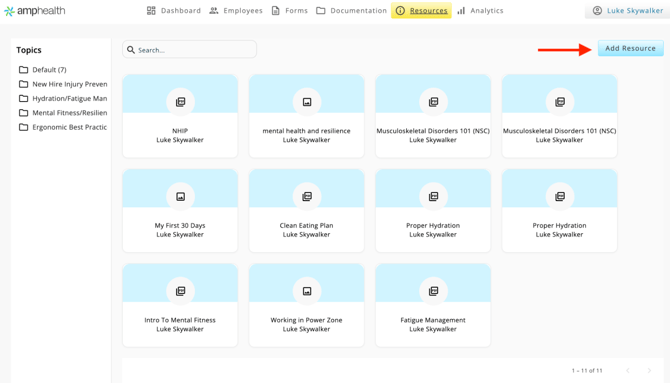
Next, name the Resource, add a Description and select Resource Type. Selecting "Content" opens a text editor for content creation directly in Amp Health. Selecting "Asset" allows you to upload external content like a PDF, JPG, or video. Add a thumbnail image, which will be displayed on the resource card in the main view.
Select a Topic under which to organize the Resource, and add Tags to search for the Resource more easily.
At this point you can share the Resource with all employees at an employer, or share directly to individual employees. However, sharing is not required to create the Resource.
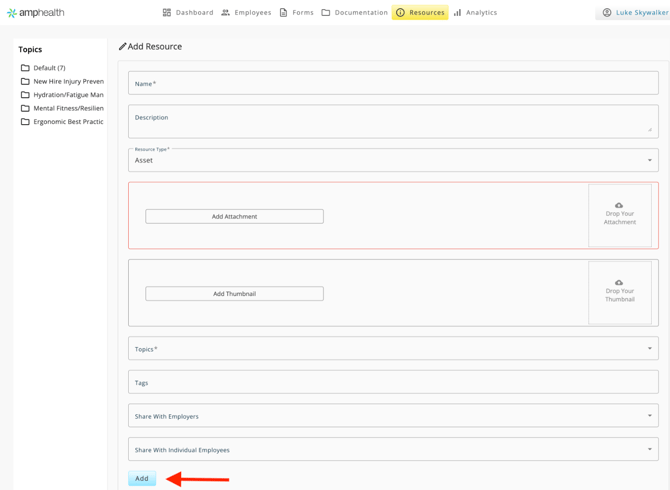
Click Add to create the Resource.